Online Stores
Can AI Shopping Tools Understand What You Sell?
AI shopping tools need more than product photos. Learn how Shopify and WooCommerce stores can make product data, prices, stock, variants, policies, and schema clearer for AI-assisted shopping.
Published 2026-06-03 · Visible AI Site
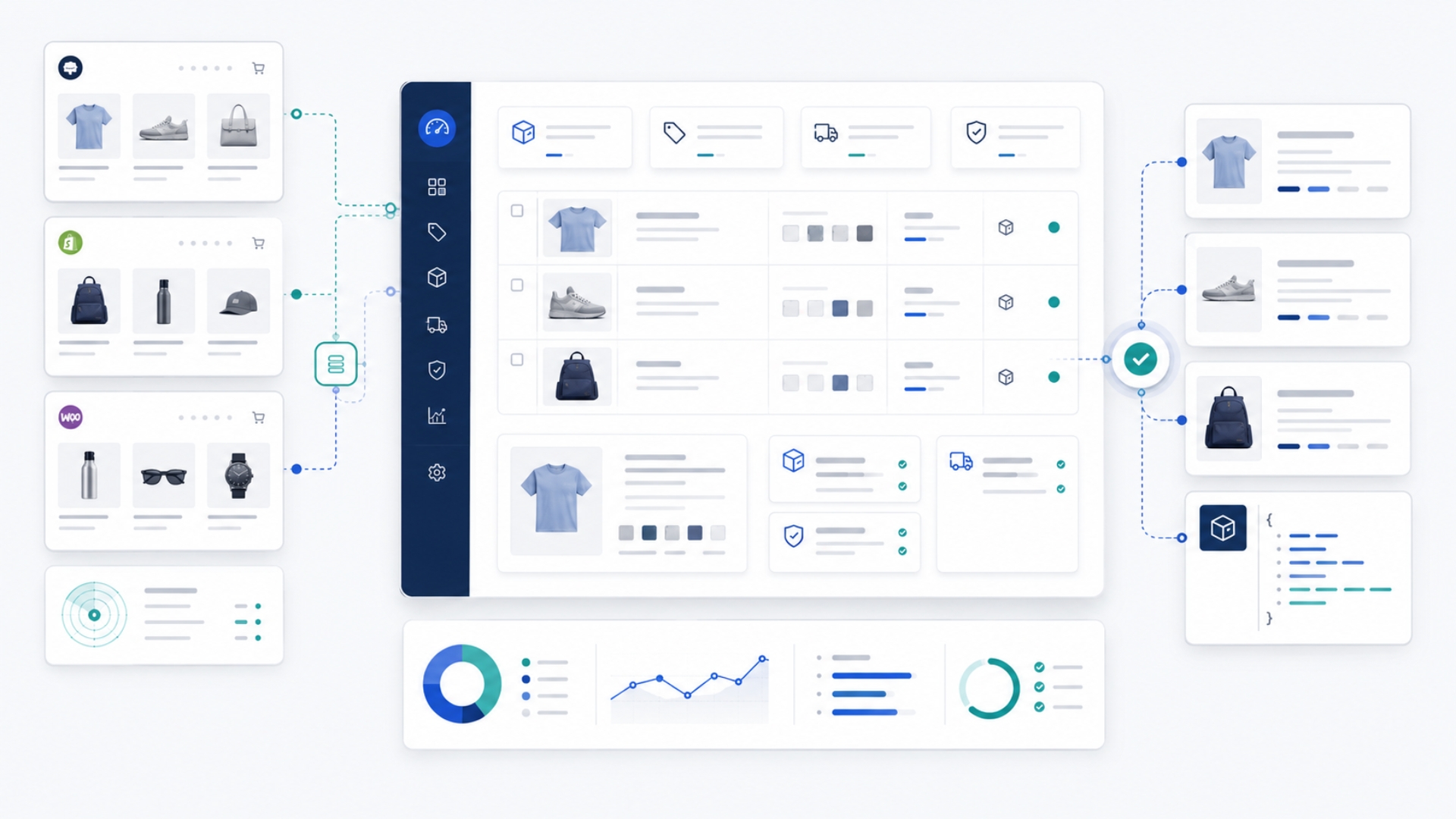
An online store can have good product photos, a clean design, and a working checkout, but still be unclear to AI shopping tools.
That matters because people are no longer only searching in the old way. A customer may ask an AI tool to compare products, find a product for a specific use case, check whether a store looks reliable, or explain which option is best for their budget. If your Shopify or WooCommerce store does not give AI tools clear product and store information, your products may be harder to understand, compare, or recommend.
This does not mean AI shopping tools will replace your store. It means your store needs to be easier to read. Product names, descriptions, prices, stock, variants, policies, images, and checkout signals all need to tell the same clear story.
This article explains what AI shopping visibility means for WooCommerce and Shopify stores, why product photos are not enough, and what you should check first.
What does AI shopping visibility mean?
AI shopping visibility means your online store gives AI tools enough clear and consistent information to understand what you sell.
For a product page, that usually means AI tools should be able to understand questions such as:
- What is this product?
- Who is it for?
- What problem does it solve?
- What are the main features or specifications?
- What variants are available?
- What is the price?
- Is it in stock?
- Can it be shipped to the customer?
- What is the return policy?
- Is the store trustworthy enough to consider?
For a Shopify or WooCommerce store, AI shopping visibility is not only about ranking. It is about clarity. If the product data is incomplete, inconsistent, hidden, or hard to extract, AI tools have less reliable information to work with.
A product may exist online, but if AI tools cannot understand it clearly, it can quickly get lost in the crowd.
Product photos are not enough
Many store owners focus heavily on product photos. That is understandable. Good photos help people trust the product and imagine using it.
But AI shopping tools need more than images.
A product photo may show what an item looks like, but it does not always explain:
- the exact product type;
- the size, material, color, or capacity;
- the compatible models;
- the audience or use case;
- the warranty or support terms;
- whether the product is new, used, or refurbished;
- whether it is in stock;
- whether the price shown on the page matches checkout;
- whether the product can be returned.
For example, a product page that says “Premium Model X” may look fine to people who already know the brand. But an AI tool may need more context. Is it a bag, a supplement, a spare part, a device, a clothing item, or a tool? What makes it different from other versions? Who should buy it? What should the buyer check before ordering?
A clearer product page would use a descriptive title, a useful summary, structured specifications, accurate variants, and visible policy information.
Clear product titles help AI tools understand the product faster
Your product title should describe the product in language a customer would understand.
A weak title may only make sense inside your store. A clearer title explains the product type, brand, model, and important differentiator where relevant.
| Weak product title | Clearer product title | |---|---| | Model X | Model X Stainless Steel Water Bottle, 750 ml | | Premium Set | Premium 6-Piece Ceramic Dinnerware Set | | Black Large | Black Cotton Hoodie, Large | | Filter 200 | Replacement Water Filter Cartridge 200 Series |
The goal is not to make titles unnaturally long. The goal is to remove guesswork.
This is especially important when AI tools compare products across different stores. If your product titles are vague while competitors have clearer titles, your products may be harder to match with a buyer’s request.
Product descriptions should explain the decision, not only the product
A product description should help a customer decide whether the product is right for them.
That means it should answer practical questions:
- What is the product?
- Who is it for?
- What is it used for?
- What are the key benefits?
- What are the important limitations?
- What does it work with?
- What should the buyer know before ordering?
Many ecommerce descriptions are too thin. They may use phrases like “high quality,” “premium design,” or “best choice” without explaining anything specific.
AI tools may not find that useful. People may not find it useful either.
A better description gives concrete details. For example:
> This replacement cartridge is designed for the 200 Series countertop water filter. It is suitable for normal household use and should be replaced every three months, depending on water quality and usage. It is not compatible with the 300 Series filter housing.
That kind of description is useful because it gives product type, use case, compatibility, replacement timing, and limitation.
Specifications should be easy to scan
AI shopping tools often need facts. Customers need facts too.
For many product categories, a specifications section can make the page much clearer. This may include:
- dimensions;
- weight;
- material;
- color;
- size;
- capacity;
- power requirements;
- ingredients;
- compatibility;
- model number;
- warranty period;
- what is included in the box.
A simple table can help because the information is easier to scan and extract.
| Product information | Why it helps | |---|---| | Size and dimensions | Helps compare fit and suitability. | | Material | Helps buyers evaluate quality, use, and care. | | Compatibility | Reduces wrong purchases. | | Warranty | Supports trust and post-purchase confidence. | | What is included | Avoids confusion about accessories or bundles. |
The important point is consistency. If one product lists dimensions as “10 cm x 20 cm,” another says “small,” and another does not mention size at all, your catalog becomes harder to compare.
Product schema and Offer schema give machine-readable clues
Product schema is structured information that helps search systems and other tools understand product facts in a machine-readable way.
In plain English, it is like labeling the product information behind the page.
For ecommerce stores, Product and Offer structured data can help identify information such as:
- product name;
- description;
- image;
- brand;
- SKU;
- price;
- currency;
- availability;
- product URL;
- condition;
- reviews, if genuine and visible.
This does not replace the visible product page. The visible product page still needs to be clear. Structured data should describe what is already visible, not claim hidden or false information.
A common problem is mismatch. For example:
- the page shows one price, but schema shows another;
- the page says the product is out of stock, but schema says it is in stock;
- the product feed uses a different title from the product page;
- reviews appear in schema but are not visible to users;
- multiple apps or plugins output conflicting product schema.
These mismatches can reduce trust and create confusion. For AI shopping visibility, consistency matters more than clever markup.
Product feeds help shopping systems understand your catalog
A product feed is a structured file or connection that sends product data to shopping platforms, marketplaces, or merchant systems.
For many stores, Google Merchant Center is one of the most familiar examples. Shopify stores may use native sales channels or feed apps. WooCommerce stores often use a product feed plugin.
A useful product feed usually includes fields such as:
- product ID;
- title;
- description;
- product URL;
- image URL;
- price;
- currency;
- availability;
- brand;
- SKU;
- GTIN or barcode where available;
- condition;
- shipping details;
- return information where supported.
The business meaning is simple: your feed should tell the same story as your product page and checkout.
If the product page says the product is available, the feed should not say it is unavailable. If checkout adds a restriction, the product page and policies should not imply the product can be shipped anywhere.
AI shopping tools and search systems may rely on a mix of visible pages, structured data, feeds, platform data, and external sources. If those surfaces disagree, your store becomes less reliable as a source.
Price, stock, and checkout must match
Price and availability are core trust signals for ecommerce.
If a customer sees one price in search, another price on the product page, and a different price at checkout, trust drops quickly. The same applies when a product appears available but cannot actually be purchased.
For AI shopping tools, these mismatches can also create wrong answers.
Store owners should regularly compare five surfaces:
- The visible product page.
- Product structured data.
- Product feed or Merchant Center data.
- Admin product data in Shopify or WooCommerce.
- Cart and checkout behavior.
The important fields should match across all of them:
| Field | Why it matters | |---|---| | Product name | Helps identify the correct item. | | SKU or product ID | Helps avoid duplicate or confused products. | | Price and currency | Core buying information. | | Availability | Prevents unavailable products from being recommended. | | Variant availability | Avoids showing unavailable colors, sizes, or packs. | | Product URL | Helps AI tools and users reach the right page. | | Shipping and returns | Supports buyer confidence and accurate recommendations. |
For fast-moving stores, stale cache or slow feed updates can create real problems. If stock changes often, your product data needs to update quickly enough to avoid outdated visibility.
Variants need to be clear
Variants are one of the most common sources of ecommerce confusion.
A product may come in different sizes, colors, materials, packs, capacities, or models. If those variants are not clearly named and mapped, AI tools may struggle to understand which option is available or suitable.
For example, a variant named “Blue / L” may be understandable in context, but it is stronger when the page clearly explains that “Blue” is the color and “L” is the size. Each variant should have accurate price, stock, SKU, image, and availability where possible.
For WooCommerce stores, variable products need careful parent and child product setup. For Shopify stores, variants should be named consistently and connected to the right product media, SKU, barcode, and inventory settings.
The practical question is:
> Can a customer, or an AI shopping tool, understand exactly which version of the product is being selected?
If the answer is not clear, the variant setup needs attention.
Shipping, returns, warranty, and support are part of product visibility
AI shopping visibility is not only about the product itself. It also includes whether the store gives enough information for a customer to buy with confidence.
A customer may ask:
- Can this be shipped to my location?
- How long does delivery take?
- What does shipping cost?
- Can I return it?
- Are opened items returnable?
- Is there a warranty?
- Who do I contact if there is a problem?
If the answers are hidden, vague, or inconsistent, AI tools may not be able to summarize them accurately.
Your store should have clear policy pages for shipping, returns, privacy, terms, and support. Product pages should also link to relevant policy information, especially for stores where shipping restrictions, return exclusions, or warranty rules affect buying decisions.
For online stores, policy clarity is not just legal content. It is part of trust.
Product images and alt text still matter
AI shopping tools may use images in some contexts, but images should not carry the full burden of explanation.
Product images should be accurate, high quality, and matched to the correct variant where possible. If a product has multiple colors, sizes, or bundles, the media should help the buyer understand what they are selecting.
Alt text can also help. It should describe the actual product or variant in simple language.
For example:
| Weak alt text | Clearer alt text | |---|---| | product image | Black cotton hoodie with front pocket | | image 1 | Stainless steel 750 ml water bottle in blue | | filter | Replacement water filter cartridge for 200 Series |
Alt text should not be stuffed with keywords. It should describe what is in the image in a useful way.
Shopify-specific risks
Shopify gives store owners a strong ecommerce foundation, but AI shopping visibility still depends on data quality, theme output, and app behavior.
Common Shopify risks include:
- product titles that are too vague;
- missing vendor or product type fields;
- incomplete barcode or GTIN data;
- weak product descriptions;
- variants without clear names or accurate media;
- product schema that is incomplete or duplicated by apps;
- collection pages with little useful content;
- inconsistent shipping, market, or currency rules;
- apps that inject heavy scripts or conflicting structured data.
Shopify stores should also monitor how product data appears in sales channels and merchant tools. A clean Shopify admin does not always mean the external product data is clean.
The practical goal is to keep product pages, structured data, product feeds, and checkout behavior aligned.
WooCommerce-specific risks
WooCommerce is flexible, but that flexibility can create more variation between stores.
Common WooCommerce risks include:
- multiple SEO, schema, review, or feed plugins creating conflicts;
- product schema that is duplicated or incomplete;
- product feeds that miss key fields;
- stale cached prices or stock values;
- poorly structured variable products;
- inconsistent product attributes;
- thin category pages;
- confusing tag or attribute archive pages;
- checkout or cart behavior affected by custom plugins.
For WooCommerce, one of the most important decisions is ownership. Decide which plugin or custom layer is responsible for schema, which tool manages product feeds, and how price and stock updates trigger cache clearing and feed refreshes.
If several plugins are trying to control the same product data, the result can become messy quickly.
Category and collection pages also matter
AI shopping does not always start with a specific product name. A customer may ask for “a durable backpack under $100,” “a gift for a new parent,” or “replacement filters for a specific machine.”
That means category and collection pages should explain the buying space, not only list products.
A useful category or collection page may include:
- a clear title;
- a short explanation of what belongs in the category;
- buying factors to consider;
- links to subcategories;
- useful filters;
- crawlable product links;
- product cards with enough information;
- FAQs or guidance for complex categories.
Thin category pages with only product grids may still work for browsing, but they are often weaker for explanation and AI-assisted comparison.
What the AI Visibility Checker can check automatically
The AI Visibility Checker can give store owners a practical first look at selected signals that may affect how clearly AI tools understand an online store.
For a Shopify or WooCommerce store, an automated scan may check signals such as:
- whether the store URL is accessible;
- whether HTTPS is enabled;
- whether robots.txt and crawler access appear reasonable;
- whether a sitemap is detected;
- whether product schema appears on product pages;
- whether price and availability signals are visible;
- whether Shopify or WooCommerce indicators are detected;
- whether important policy pages are linked;
- whether basic semantic HTML signals are present;
- whether structured data appears to exist.
These checks are useful because they can reveal foundation gaps quickly.
What still needs manual review
An automated scan cannot fully judge product quality, catalog accuracy, feed setup, Merchant Center diagnostics, checkout behavior, or competitive visibility.
For example, a scan may detect that product schema exists, but a manual review may still be needed to confirm whether it is accurate, complete, and consistent with the page, feed, and checkout.
A full ecommerce AI visibility audit may still need human review of:
- product title quality;
- description usefulness;
- variant setup;
- feed mappings;
- Merchant Center issues;
- product identifiers such as GTIN, SKU, and brand;
- checkout and shipping behavior;
- return policy accuracy;
- competitor comparisons;
- how AI tools actually describe the store or products.
The scan gives a practical first look. Some issues can be checked automatically, while others need a manual review of your products, policies, competitors, and business trust signals.
How to start checking your store
You do not need to become technical before taking the first step.
Start by asking a simple question:
> Can AI tools clearly understand what my store sells, what each product is, whether it is available, and whether customers can buy it with confidence?
Then check the basics:
- Are your product titles descriptive?
- Do product descriptions answer real buyer questions?
- Are specifications easy to scan?
- Do variants have clear names, SKUs, prices, and stock?
- Do product pages, schema, feeds, and checkout match?
- Are shipping and return policies clear?
- Are product images accurate and supported by useful alt text?
- Are category and collection pages helpful?
If you want a faster first look, run the AI Visibility Checker.
It can help identify selected visibility gaps in your Shopify or WooCommerce store and show whether important signals are present, missing, or unclear.
Conclusion
AI shopping visibility is not about tricking AI tools. It is about making your online store easier to understand.
For Shopify and WooCommerce stores, that means clear product pages, accurate product data, consistent prices and stock, structured product signals, useful policies, and stable checkout behavior.
Your products may already be online. But if AI tools cannot understand what you sell clearly, your store can become harder to find, compare, or recommend.
The first step is simple: check whether your store gives AI tools the basic signals they need.
Run the AI Visibility Checker to see whether your WooCommerce or Shopify store has selected product, policy, and visibility signals in place.
Run a practical first check
Use the AI Visibility Checker to see whether your website or online store has selected public signals in place.
Run the AI Visibility Checker