AI Visibility
What Happens After You Run an AI Visibility Scan?
Learn what happens after you run an AI visibility scan, what the instant result means, why the detailed report asks for email, and how to use the findings as practical next steps.
Published 2026-06-03 · Visible AI Site
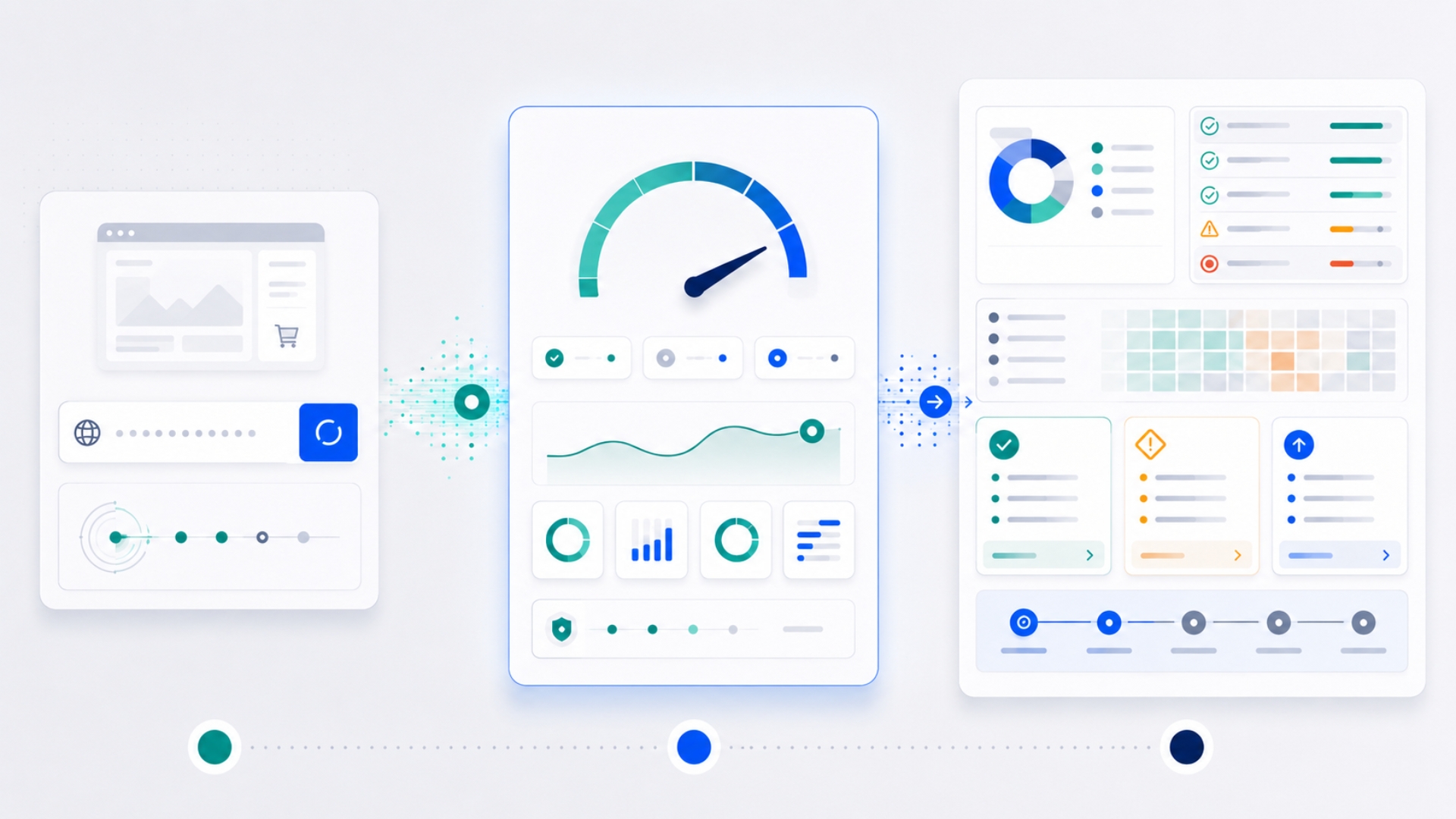
Running an AI visibility scan is a simple first step. You enter your website or online store URL, the checker reviews selected signals, and you receive an instant result that explains whether your site appears clear enough for AI tools to access, read, and understand at a basic level.
The scan is not meant to scare you. It is also not meant to pretend that one automated test can prove everything about your future visibility in ChatGPT, Gemini, Claude, Google AI Mode, Perplexity, or any other AI system.
Its purpose is more practical: to help you see hidden gaps that may affect how clearly AI tools understand your business, services, products, pages, and trust signals.
This article explains what happens after you run an AI visibility scan, what the instant result means, why the detailed report asks for your email, what the report can include, and what to do if the scan finds issues.
Why the scan exists
Many small business owners already have a website or online store. Some paid for a professional design. Some use WordPress. Some use Shopify or WooCommerce. Some rely on a developer, agency, freelancer, or theme provider.
But a website can exist online and still be unclear to AI tools.
People are now using AI tools to search, compare, summarize, and make decisions. They may ask for local businesses, compare products, review service providers, understand return policies, or decide which company to contact. If your website or online store does not explain itself clearly, your business may become harder to find and easier to miss.
The AI Visibility Checker exists to give you a practical first look. It checks selected signals that may affect whether AI tools can access, read, and understand your site.
It does not ask you to understand technical SEO before taking action. The first step is simple: enter your website or store URL and review the result.
Step 1: You enter your website or online store URL
The scan starts with your URL.
For a business website, this may be your homepage, such as:
https://example.comFor an online store, it may be your main store domain, such as:
https://examplestore.comThe checker uses that URL as the starting point. It may inspect the homepage and selected public signals connected to the site. For stores, it may also look for ecommerce indicators, product-related signals, and policy links where detectable.
You should only scan websites or online stores you own, manage, or have permission to review.
Step 2: The checker reviews selected visibility signals
The scan looks for selected signals that help show whether AI tools can access, read, and understand your website or online store.
These signals may include practical checks such as:
- whether the website can be reached properly;
- whether HTTPS is enabled;
- whether a sitemap appears to exist;
- whether important page metadata is present;
- whether the page has a clear title and main heading;
- whether structured data appears on the page;
- whether contact, privacy, terms, shipping, or return pages are linked where relevant;
- whether ecommerce signals are detectable on store pages;
- whether crawler access rules may be unclear or restrictive;
- whether the page uses basic structure that is easier for tools to read.
Some of these terms may sound technical, but the business meaning is simple. AI tools need to open your pages, read your content, understand what you offer, and trust that your business information is clear and consistent.
Step 3: You receive an instant result
After the scan runs, you receive an instant result. This result is designed to give you enough value before you request the detailed report.
The instant result may show:
- the website URL scanned;
- the scan date or time;
- the detected platform, where possible;
- an AI visibility score;
- a readiness label;
- passed checks;
- issues found;
- a short explanation of what the result means.
The score is not a promise of rankings. It is a readiness indicator based on selected signals.
For example, a site may receive a label such as:
- Not Ready
- Basic Visibility
- Partially Ready
- AI-Ready Foundation
- Strong AI Visibility Foundation
The wording matters. A scan should not say your website is “fully AI ready,” because the field is still changing and no automated checker can verify everything.
What the score means
The score helps you understand the condition of the visible and technical signals the checker was able to inspect.
A low score usually means important access, structure, or readability signals may be missing or unclear.
A middle score may mean your website or online store has some foundations in place, but still has gaps that should be reviewed.
A higher score may mean the site has several important readiness signals, but it does not mean there is nothing left to improve.
In plain English, the score answers this kind of question:
> Does this website or online store appear to have the basic signals AI tools may need to access, read, and understand it clearly?
It does not answer every business question, and it does not replace a full manual review.
What passed checks tell you
Passed checks show signals that appear to be present.
For example, the instant result may show that:
- HTTPS is enabled;
- a sitemap was detected;
- a title and H1 were found;
- a canonical URL was found;
- structured data was detected;
- a contact page was found;
- privacy or terms pages were linked;
- product schema appeared on a store page.
Passed checks are useful because they show that some foundations are already in place. That matters because AI visibility is not only about adding new things. It is also about confirming that basic website signals are working properly.
What issues found tell you
Issues found show signals that may be missing, unclear, blocked, or inconsistent.
For example, the scan may detect issues such as:
- missing meta description;
- missing or unclear sitemap;
- no visible structured data;
- product schema not detected on an online store;
- return policy link not found;
- contact page not detected;
- AI crawler policy unclear;
- important page structure appearing incomplete.
An issue does not always mean your site is broken. Sometimes it means the signal was not easy to detect automatically. Sometimes the issue is small. Sometimes it points to a deeper problem that should be reviewed manually.
The important point is that the issue gives you a place to start.
Why the detailed report asks for your email
The instant result gives you a quick summary. The detailed AI Visibility Readiness Report gives you a more structured view of the findings.
The report asks for your name and email because it is sent by email and may include a more complete explanation of the scan result.
The report may also help connect your scan to follow-up support if you want help understanding or fixing the issues.
A clear report process should also explain how your information is used. The basic idea is simple: your website URL, scan result, name, and email are used to generate and send the report, improve the checker, and follow up about implementation help when appropriate.
You should also be able to review the Privacy Policy and Terms of Use before submitting your details.
What the detailed report can include
The detailed report is meant to make the instant result more useful.
It may include:
- prioritized findings;
- what each issue means in business terms;
- why the issue may affect AI readability;
- recommended fixes;
- platform-specific notes for WordPress, WooCommerce, or Shopify;
- ecommerce checks where relevant;
- crawler access observations;
- trust and policy page observations;
- suggested next steps.
The report should help you understand what matters first. Not every issue has the same priority.
For example, a blocked public site is more urgent than a small metadata improvement. Missing product price consistency on a store may be more serious than a minor wording issue. A missing return policy on an online store may matter more than a cosmetic design detail.
The goal is to turn the scan into a practical list of next steps.
What the scan cannot fully prove
An automated scan is useful, but it has limits.
It cannot fully prove whether your business will appear in an AI answer. It cannot guarantee that ChatGPT, Gemini, Claude, Perplexity, Google AI Mode, or any other system will recommend your website or online store.
It also cannot fully judge:
- the quality of your content;
- how trustworthy your business appears compared with competitors;
- whether your products are described better than competing products;
- whether your pricing and policies are commercially attractive;
- whether your brand has enough external authority;
- whether your checkout process works smoothly;
- whether your store feed is clean inside Merchant Center;
- whether AI tools currently mention competitors instead of you.
Those areas often need manual review, business judgment, and real-world testing.
The scan gives you a practical first look. It does not replace a full AI visibility audit.
What implementation help means
Some findings are simple. You may be able to fix them yourself or ask your existing website manager to handle them.
For example:
- adding a missing privacy policy link;
- improving a page title;
- adding clearer service descriptions;
- linking to a contact page from the footer;
- updating a product description;
- adding shipping and return policy links.
Other findings may require more technical work.
For example:
- fixing robots.txt rules;
- improving structured data;
- resolving duplicate schema from plugins or apps;
- correcting canonical URL issues;
- improving Shopify product data;
- mapping WooCommerce product feeds;
- fixing price or stock mismatches;
- improving semantic HTML and accessibility;
- reviewing crawler access through hosting, CDN, or security tools.
Implementation help means turning the report into action. It can include explaining what matters, deciding what should be fixed first, and making practical changes to your website or online store.
You do not need to become technical to take the next step. You only need to know which issues matter and who should fix them.
How to use your scan result
After you receive your scan result, use it in three passes.
First, look at the obvious issues. Are important pages missing? Are contact or policy links hard to find? Is the site missing basic metadata? Does the scan suggest crawler access may be unclear?
Second, look at the platform context. A normal WordPress business website needs clear services, trust pages, metadata, internal links, and structured business information. A Shopify or WooCommerce store also needs clear product names, prices, stock, variants, shipping, returns, product schema, and consistent store data.
Third, decide what needs manual review. If the scan finds issues that affect business trust, product clarity, crawler access, or structured data, those may deserve a closer look.
A simple example
Imagine a small business owner runs a scan on a WordPress service website.
The scan shows:
- HTTPS enabled;
- title and H1 found;
- sitemap detected;
- contact page detected;
- no Organization schema detected;
- weak metadata on important pages;
- terms page not detected;
- AI crawler policy unclear.
This does not mean the website has failed. It means the site has some useful foundations, but it may not be explaining itself as clearly as it could.
A practical next step might be:
- improve the homepage and service page metadata;
- add or fix Organization schema;
- make privacy and terms links visible in the footer;
- review robots.txt and crawler rules;
- make service pages more specific and easier to summarize.
That is useful because the owner now has a starting point instead of a vague concern.
Another example for an online store
Imagine a Shopify or WooCommerce store runs a scan.
The scan shows:
- HTTPS enabled;
- product pages detected;
- product schema missing or incomplete;
- return policy link not detected;
- product descriptions are thin;
- product price and availability signals are unclear.
This matters because AI shopping tools may need more than product photos. They may need clear product names, descriptions, variants, prices, stock, shipping, returns, and store trust signals.
A practical next step might be:
- improve top product titles and descriptions;
- add clear specifications and variants;
- check product schema;
- make shipping and return policies visible;
- compare product page data with feed and checkout data;
- review whether important products are easy to find from category or collection pages.
For an online store, clarity is not only about search. It is also about whether a product can be understood, compared, and trusted.
The scan is a starting point, not the whole journey
AI visibility is not one setting. It is a combination of clear content, accessible pages, structured information, technical access, trust signals, and product clarity where relevant.
The scan helps you find selected gaps. The detailed report helps explain them. Implementation help can turn those findings into fixes.
The best way to use the scan is not to treat it as a final judgment. Treat it as a practical first step.
It helps answer:
> Is my website or online store clear enough for AI tools to read and understand, or are there hidden gaps that should be reviewed?
Run the AI Visibility Checker
Run the AI Visibility Checker to get a practical first look at whether your website or online store has the basic signals AI tools may need.
The instant result gives you a quick summary. The detailed AI Visibility Readiness Report gives you a clearer view of the issues found and what they may mean.
If the report shows issues you do not want to handle yourself, you can request help understanding and fixing the practical gaps.
Conclusion
After you run an AI visibility scan, you should have a clearer picture of your website or online store.
You will see selected signals that appear to be working, issues that may need attention, and a path toward a more detailed report.
The scan does not guarantee AI rankings or recommendations. It does not replace manual review. But it can make hidden problems easier to see.
For many small business owners, that is the most useful first step: knowing whether their website or online store is clear enough for AI tools to read, understand, and trust.
Run a practical first check
Use the AI Visibility Checker to see whether your website or online store has selected public signals in place.
Run the AI Visibility Checker