Small Business Websites
Your Website Looks Good, But Can AI Tools Read It Clearly?
A website can look polished to people but still be hard for AI tools to read clearly. Learn what makes business websites and online stores easier to understand for AI-assisted search and comparison.
Published 2026-06-03 · Visible AI Site
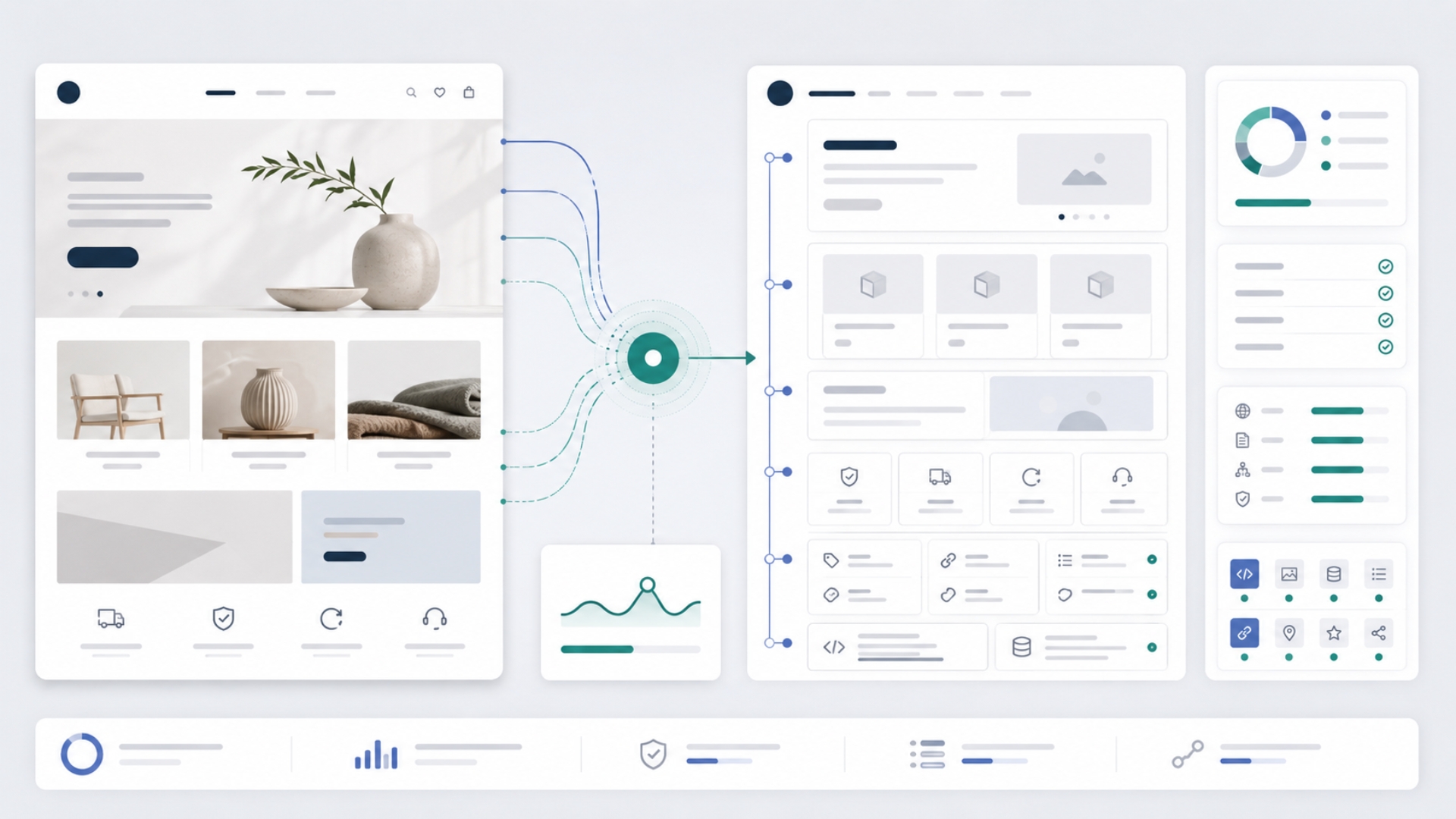
A website can look modern, polished, and professional to people, but still be hard for AI tools to read clearly.
That difference matters. Customers are starting to use AI tools to search for businesses, compare options, understand services, and decide who to contact. For online stores, they may ask AI tools to compare products, check policies, or find the best option for a specific need.
If your website or online store looks good but does not give AI tools clear information, your business may still be online but harder to understand. In a crowded market, that can make it easier to get missed.
This does not mean design is unimportant. Good design still matters. But visual design is only one layer. AI tools also need clear content, accessible pages, structured information, simple navigation, and trustworthy business details.
This article explains why a good-looking website can still be unclear to AI tools, what usually causes the problem, and what you can check first.
People see design. AI tools need structure.
When a person visits your website, they can understand many things visually. They can notice your logo, colors, layout, product images, service cards, and page design. They may also use context that is not written clearly on the page.
AI tools work differently.
They may read your page content, inspect links, look at headings, review page metadata, check structured data, analyze product information, or use search and crawler systems to retrieve your pages. They need the website to explain itself clearly.
A visitor may look at a beautiful homepage and understand that you are a local clinic, a consultant, a contractor, a small online store, or a professional service provider. But an AI tool may need clearer signals:
- What is the business name?
- What does the business offer?
- Which locations or regions does it serve?
- Which products or services are most important?
- How can someone contact the business?
- Are the business details consistent across the site?
- Are the important pages easy to reach?
- Are products, prices, policies, and availability clear where relevant?
If those answers are missing, hidden, inconsistent, or difficult to extract, the website can become unclear even if the design looks strong.
A good-looking website can still hide important information
Many small business websites are built to look attractive on the homepage. That is understandable. The homepage is often the first impression.
The problem is that important information may be buried, vague, or missing.
For example, a service business website may have a nice hero section that says:
> We help you grow with innovative solutions.
That may sound polished, but it does not clearly explain what the business does. Does it offer marketing, accounting, training, software, legal services, interior design, or something else?
A clearer version would say something like:
> We provide bookkeeping and tax preparation services for small businesses in Toronto.
This is easier for people and AI tools to understand. It names the service, audience, and location.
The same issue can happen with online stores. A product page may use beautiful images and a short brand-style description, but still fail to explain the product clearly. If the product title, description, size, material, compatibility, price, stock, shipping, or return information is unclear, AI shopping tools may not have enough reliable information to work with.
What makes a website hard for AI tools to read?
A website can become unclear for many reasons. Some are content problems. Some are technical problems. Some are trust and structure problems.
Here are common issues.
| What the visitor sees | What may be missing underneath | |---|---| | A beautiful homepage | Clear explanation of services, location, audience, and next step | | Product photos | Product names, specs, variants, price, stock, shipping, and return details | | A stylish menu | Real crawlable links to important pages | | A modern layout | Proper headings, page structure, and readable content | | A short slogan | Specific business information AI tools can understand | | A working contact form | Clear contact page, business details, and trust signals | | A polished store | Consistent product data across page, schema, feed, and checkout |
The issue is rarely one single thing. AI readability usually depends on several signals working together.
Important pages should be easy to find
AI tools need to understand the shape of your website or online store. They need to know which pages matter.
A small business website should usually make these pages easy to find:
- Home
- About
- Services or products
- Contact
- Privacy Policy
- Terms
- Location or service area, where relevant
- Blog or guides, where relevant
An online store should usually make these pages easy to find:
- Product pages
- Category or collection pages
- Shipping policy
- Return or refund policy
- Contact or support page
- Terms
- Privacy Policy
These pages should not be hidden behind complicated menus, popups, or JavaScript-only buttons. They should be linked in normal page navigation, footer links, internal links, and where appropriate, sitemaps.
In simple terms: if an important page is hard to find, it is harder for AI tools to understand the business.
Clear headings help explain the page
Headings are not only visual decoration. They help organize meaning.
A clear page usually has one main heading that explains the page. Then it uses section headings to break the topic into understandable parts.
For example, a weak service page may have headings like:
- Welcome
- Our Solutions
- Why Us
- Get Started
A clearer service page may use headings like:
- Website Design for Small Businesses
- What Is Included
- Who This Service Is For
- How the Process Works
- Pricing and Timeline
- Request a Quote
The second version is easier to understand because it answers real buyer questions. It is also easier for AI tools to summarize accurately.
For online stores, product and category pages should use headings and sections that explain what the buyer needs to know: product details, specifications, variants, compatibility, shipping, returns, and support.
Business information should be consistent
AI tools need to trust that your business information is clear and consistent.
That includes details such as:
- business name;
- service description;
- location or service area;
- phone number;
- email address;
- opening hours, where relevant;
- social profiles;
- product and store policies;
- shipping and return rules for online stores.
If one page says one thing and another page says something different, it creates confusion.
For example, if your footer shows one email address, your contact page shows another, and your support policy shows a third, the site may still work for people, but it becomes less clear as a source of truth.
The same applies to stores. If a product page shows one price, structured data shows another, and checkout shows a different final price, that is a serious clarity problem.
Online stores need more than attractive product pages
For ecommerce, AI readability depends heavily on product clarity.
A good product page should help answer questions like:
- What is the product?
- Who is it for?
- What are the main specifications?
- What variants are available?
- Is it in stock?
- What is the price and currency?
- How fast can it ship?
- Can it be returned?
- What alternatives are available?
Product photos are useful, but they are not enough. AI shopping tools may need readable product titles, descriptions, structured product information, product schema, feed data, and clear policies.
A Shopify or WooCommerce store may look professional, but if product data is thin or inconsistent, AI tools may struggle to understand what the store sells.
Some technical signals help AI tools read your site
You do not need to become technical to understand the basic idea.
AI tools and search systems need access to your pages. They need content they can read. They need clear signals about what each page means. Some of those signals have technical names.
For example:
| Plain meaning | Technical signal | |---|---| | Can tools access the page? | Crawlability and robots.txt | | Is the page allowed to appear in search? | Indexability | | What is the page about? | Title tag, meta description, H1 | | Which URL is the main version? | Canonical URL | | What is the business, article, service, or product? | Structured data or schema | | Which pages are important? | Sitemap and internal links | | Can buttons, links, and forms be understood? | Semantic HTML and accessibility |
These terms can sound technical, but the business meaning is simple: your website or online store should be easy to access, read, understand, and trust.
What a quick scan can reveal
A quick AI visibility scan can help identify selected signals that are often hidden from a business owner.
For example, a scan may check whether:
- the website can be reached properly;
- HTTPS is enabled;
- important metadata exists;
- a sitemap is present;
- structured data appears on the page;
- basic business or product signals are detectable;
- contact and policy pages are linked;
- ecommerce signals appear where relevant;
- crawler access rules may be unclear or restrictive;
- basic page structure is readable.
This gives a practical first look. It can help you see whether your website or online store has obvious visibility gaps.
What a scan cannot fully prove
An automated scan is useful, but it cannot prove everything.
It cannot fully judge whether your content is persuasive, whether your products are better than a competitor’s products, whether customers trust your brand, or whether AI tools will recommend your business in a specific answer.
It also cannot replace a manual review of product data, competitor visibility, business trust signals, checkout behavior, or actual AI search results.
The scan gives you a starting point. It helps reveal selected technical and structural issues. A deeper review may still be needed for content quality, product clarity, trust, and implementation planning.
A practical way to think about AI readability
You can think about AI readability with one simple question:
> If an AI tool opened your website or online store today, would it clearly understand who you are, what you offer, who you serve, and what a customer should do next?
For a business website, the answer depends on clear services, locations, contact details, trust pages, headings, metadata, and content.
For an online store, the answer also depends on product names, descriptions, specifications, variants, price, stock, shipping, returns, and product data consistency.
The goal is not to chase a magic AI ranking formula. The goal is to make the business clearer.
Start with clarity, then improve the technical layer
A good-looking website is a strong asset, but it should not stop at appearance.
The next step is to make sure the website is also clear underneath:
- clear business information;
- clear service or product pages;
- clear internal links;
- clear metadata;
- clear structured data where needed;
- clear trust and policy pages;
- clear product information for stores;
- clear crawler access rules.
This is how a website or online store becomes easier for people, search engines, and AI tools to understand.
Check if AI tools can read your site clearly
Your website may already look good to visitors. The next question is whether it is clear enough for AI tools to read and understand.
Run the AI Visibility Checker to get a practical first look at selected signals that may affect how clearly AI tools can access, read, and understand your website or online store.
If the scan finds issues you do not want to handle yourself, Visible AI Site can help you understand what matters and fix the practical gaps.
Run a practical first check
Use the AI Visibility Checker to see whether your website or online store has selected public signals in place.
Run the AI Visibility Checker